Stock Request
Steps Stock Request:
Through doctor system
1- Choose stock Requests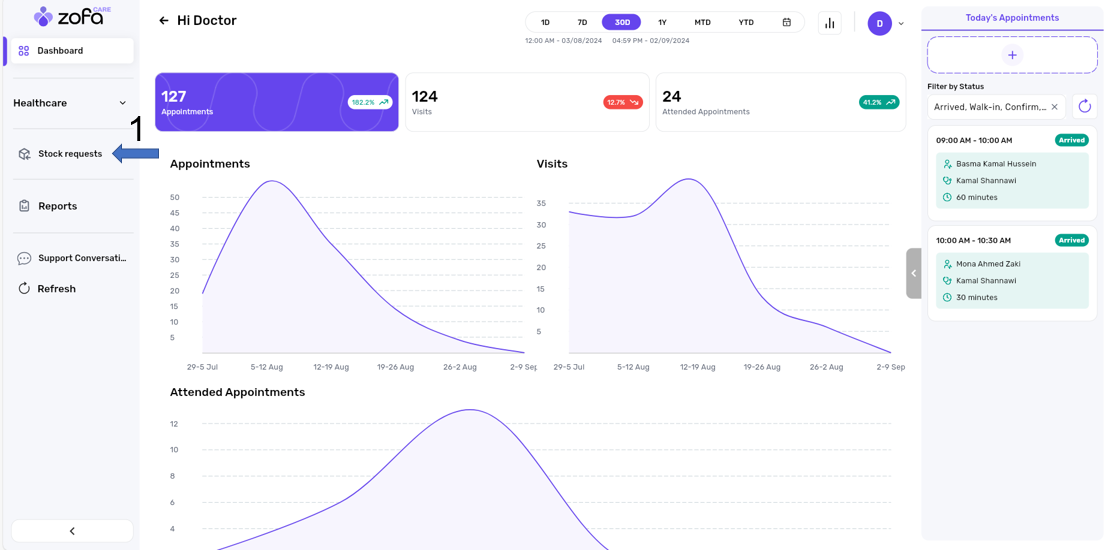
2- Press Add stock request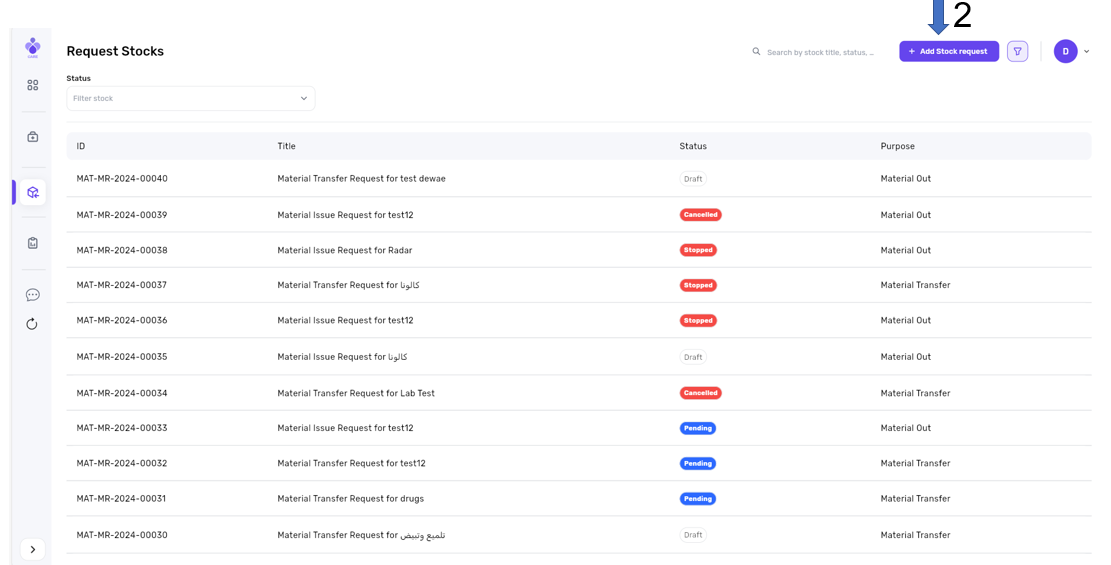
3- Choose statue
If you choose the Material Transfer status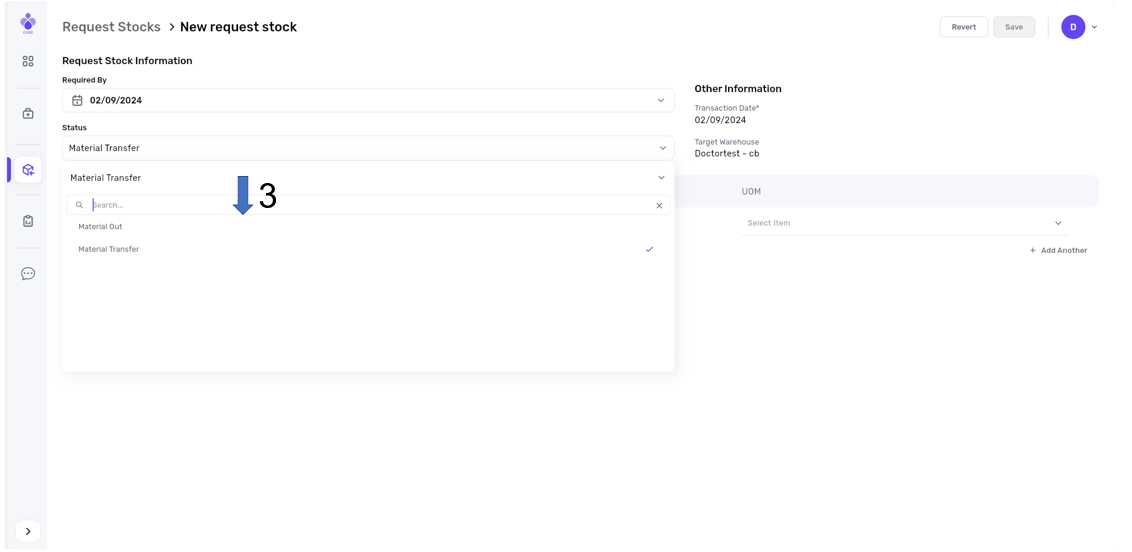
4- Choose product and enter the quantity
5- Press Save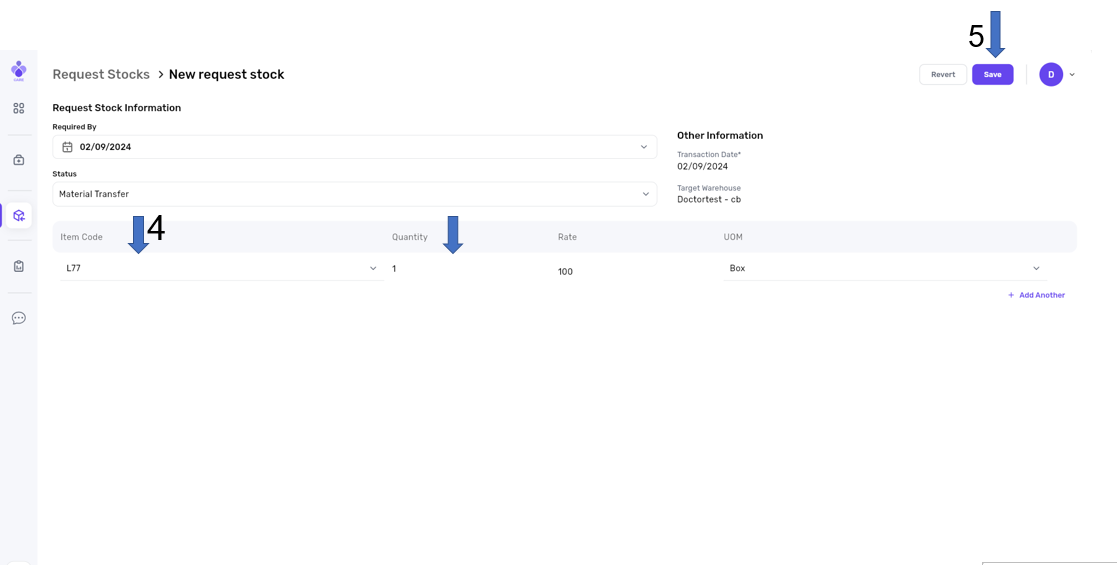
If you choose the Material Out status
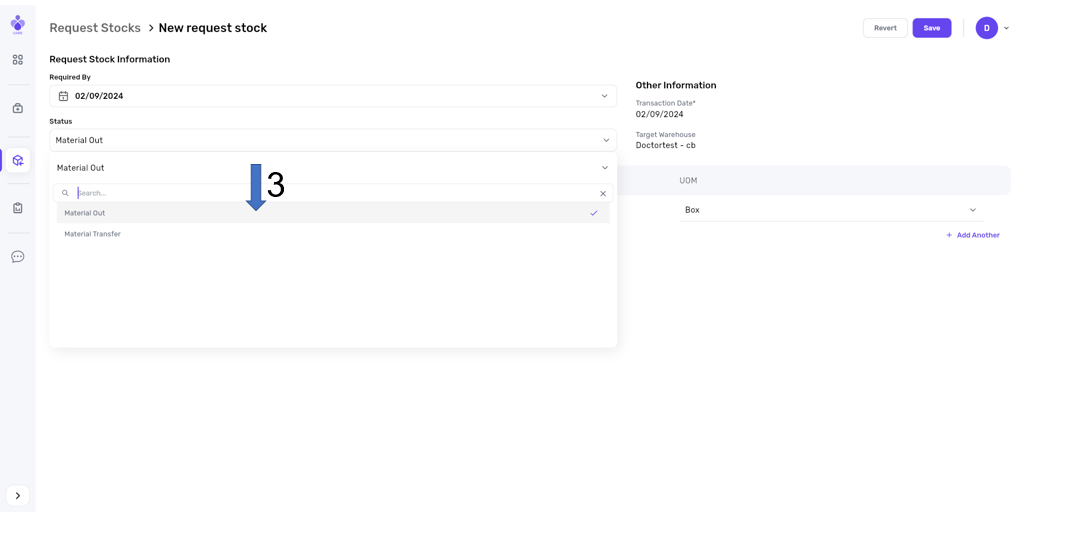
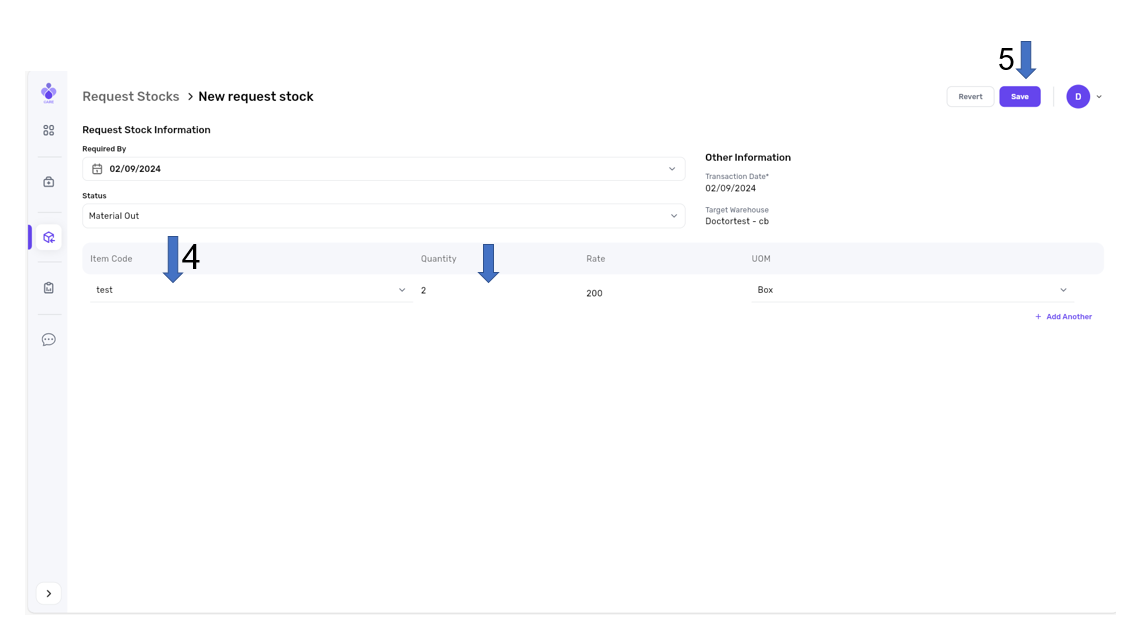
4- Choose product and enter the quantity
5- Press Save
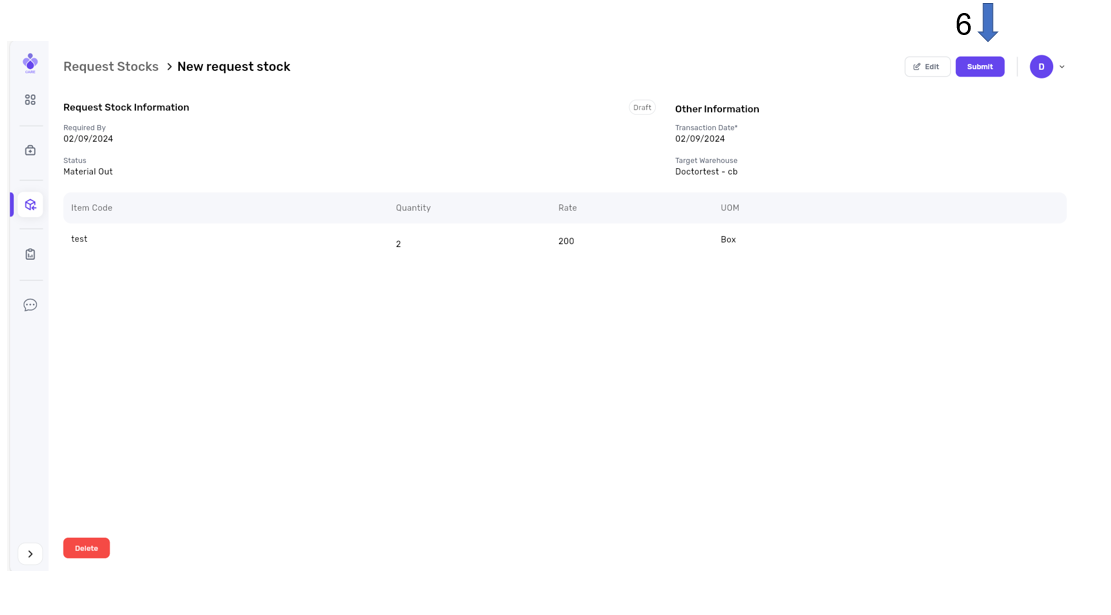
6- Press submit
Displays Stock request statuses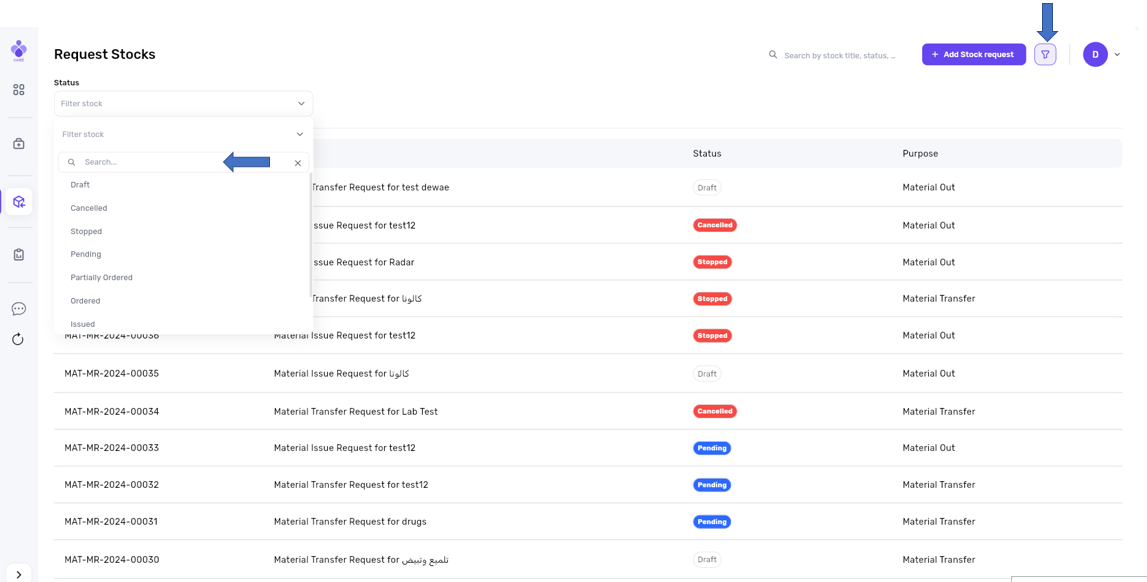
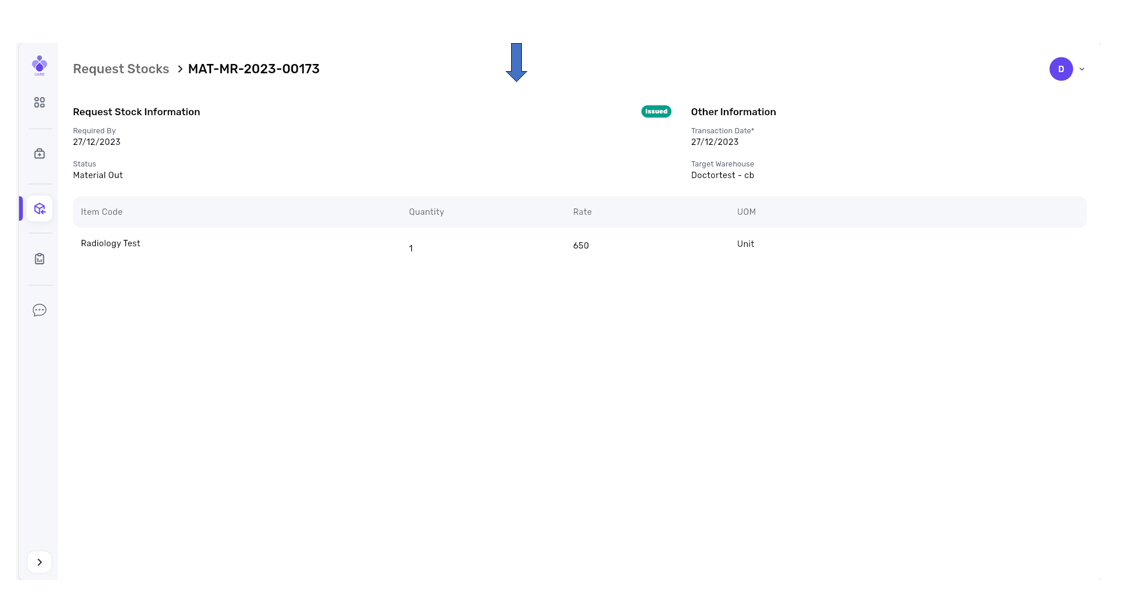
1- Issued: Stock Requests cannot be modified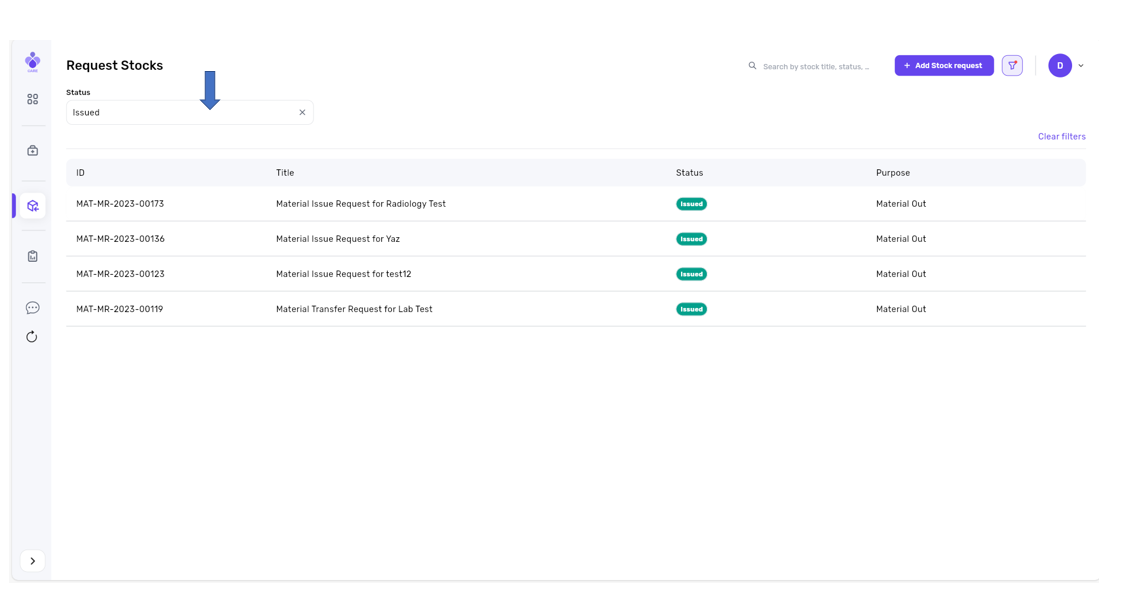
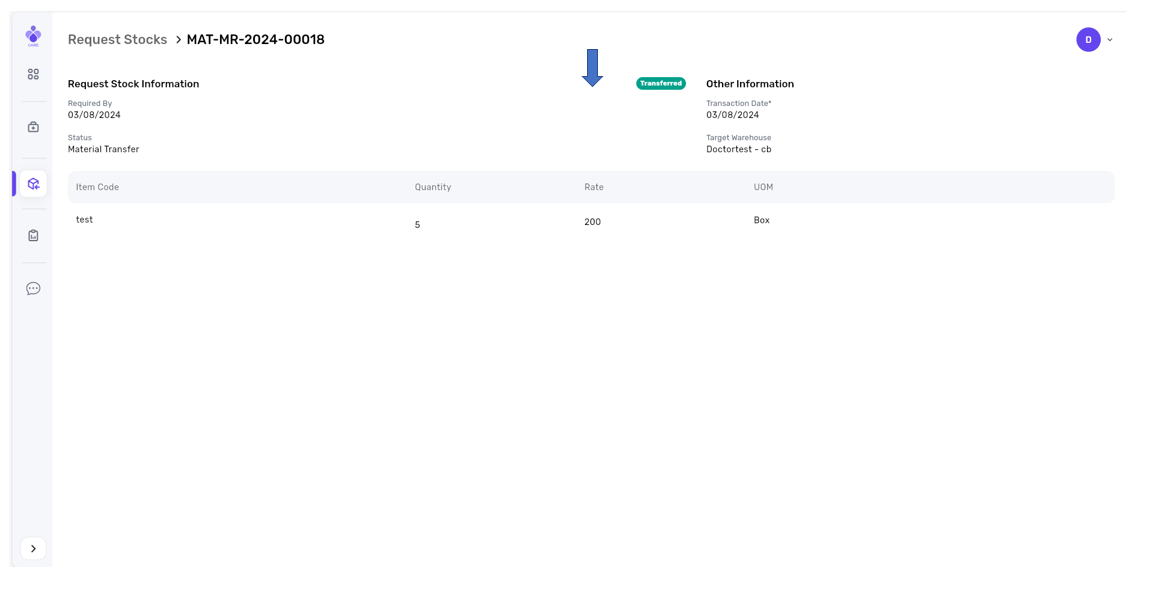
2- Transferred: Stock Requests cannot be modified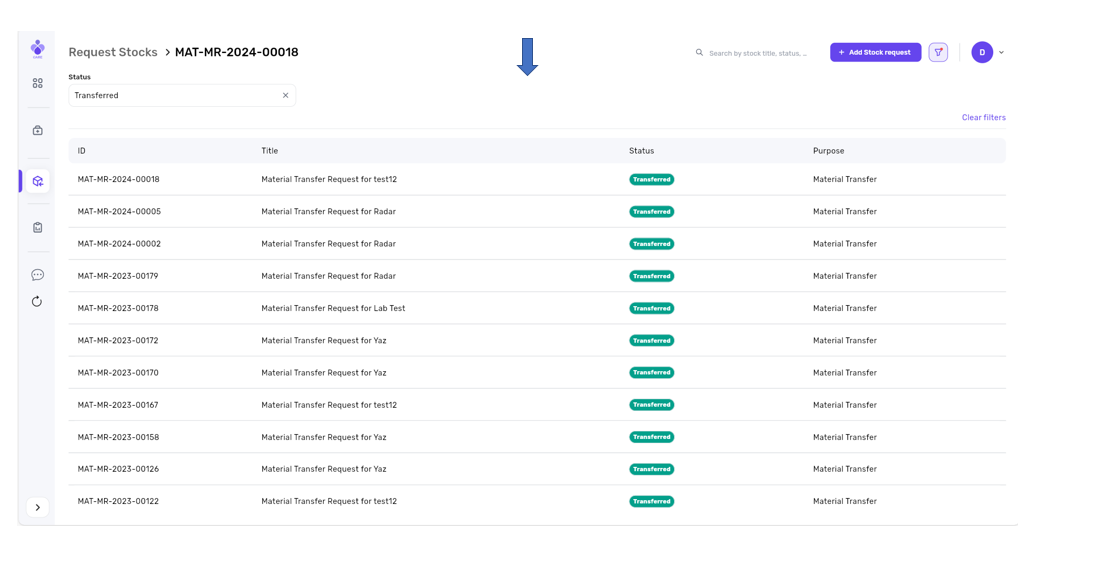
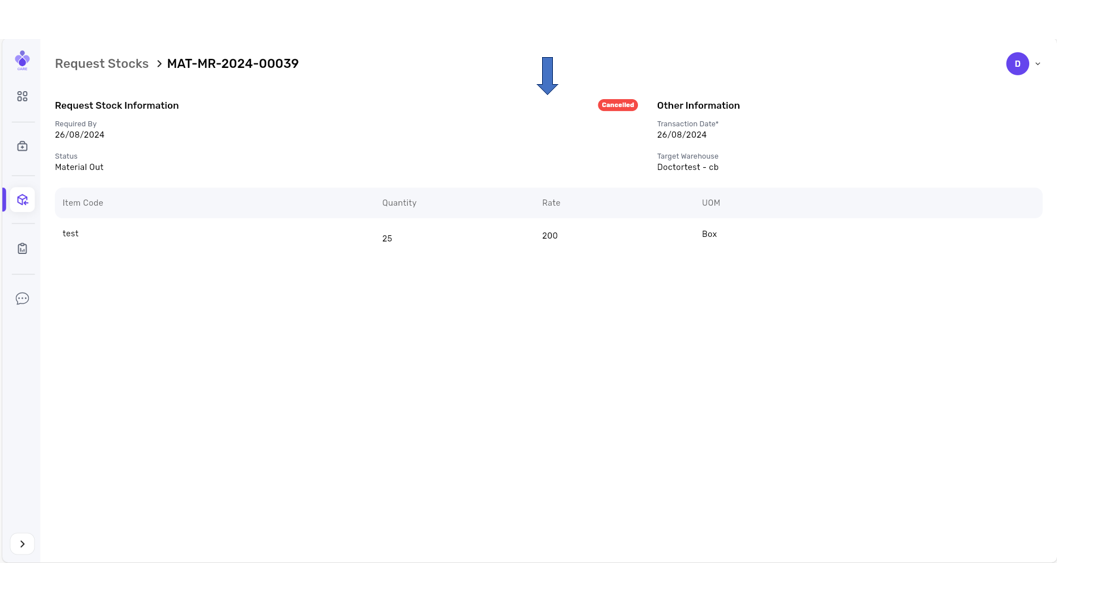
3- Canceled: Stock Requests cannot be modified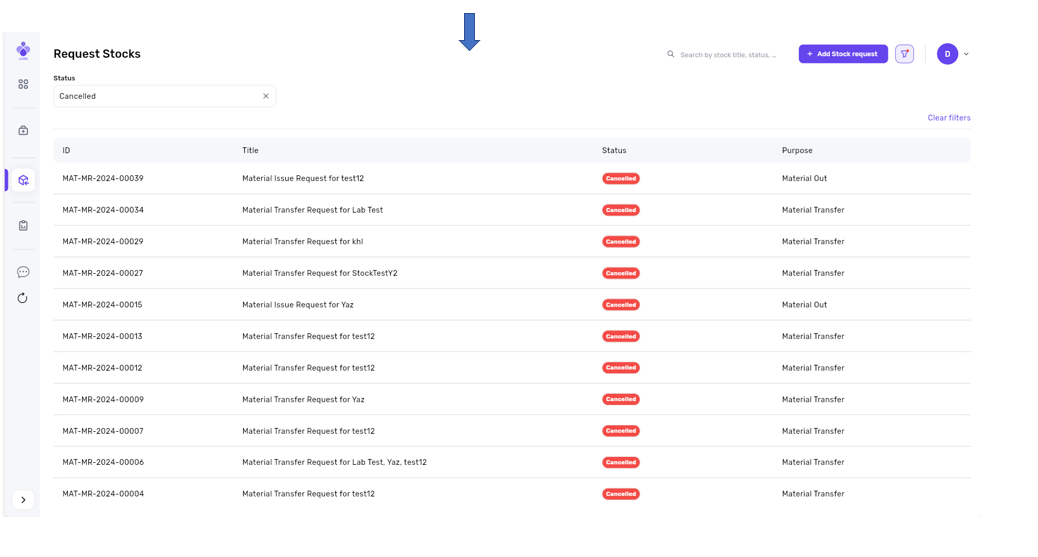
4- Pending: Stock Requests can be modified.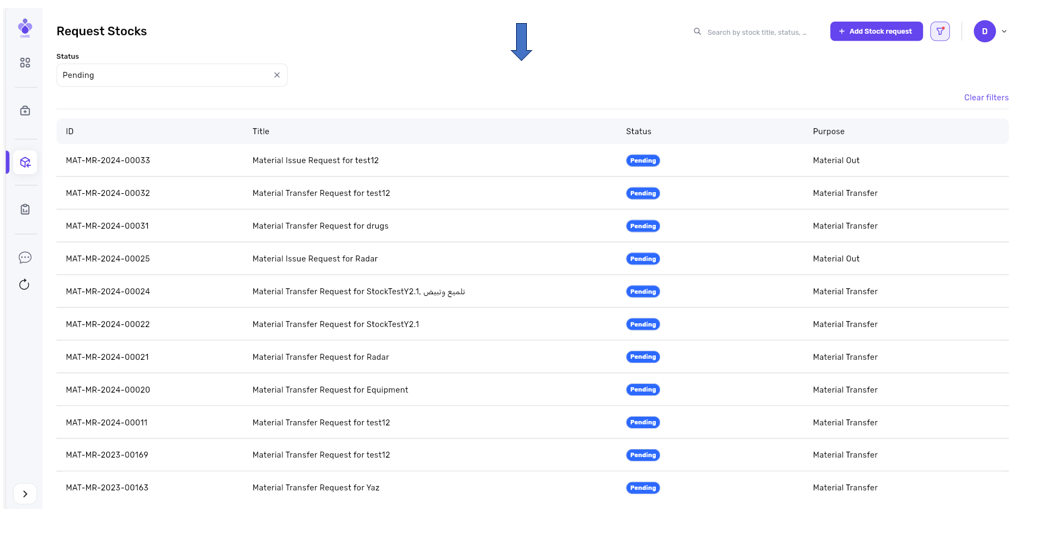
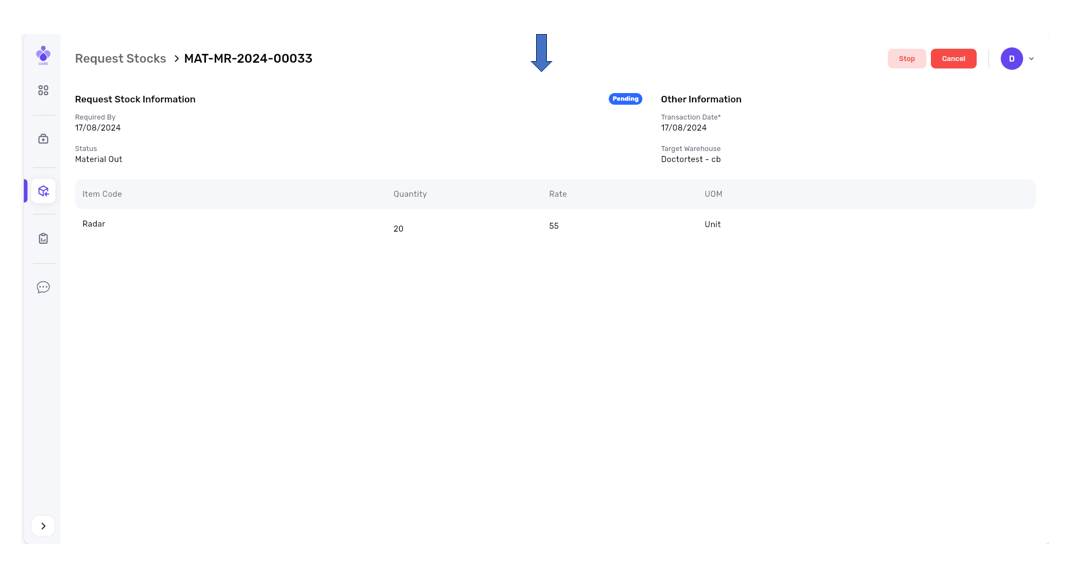
We can Stop the request through:
1- Press Stopped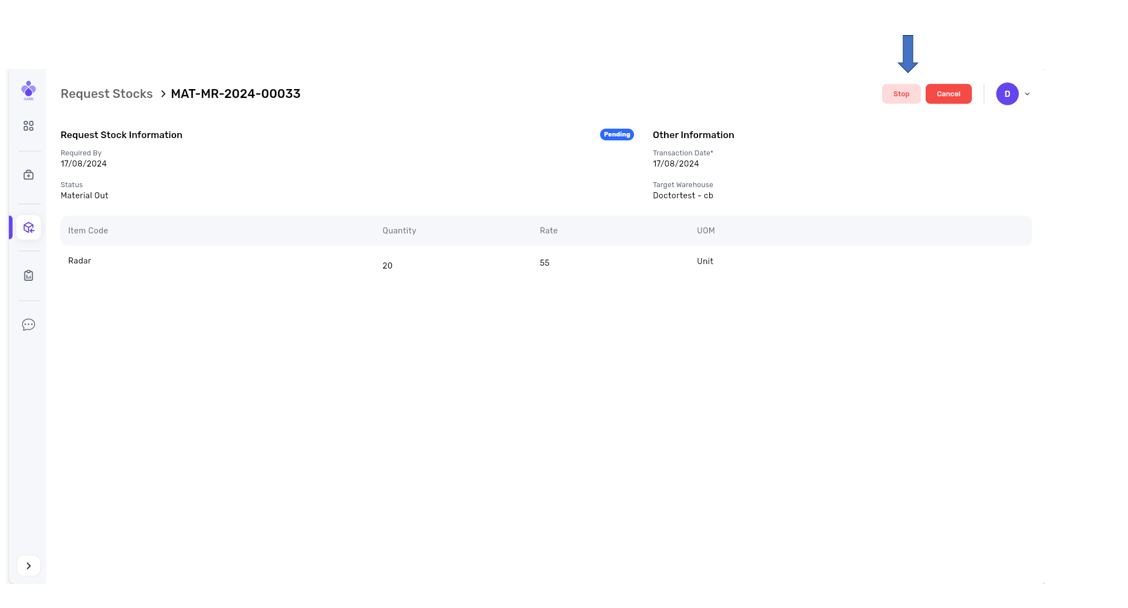
2- press yes, stop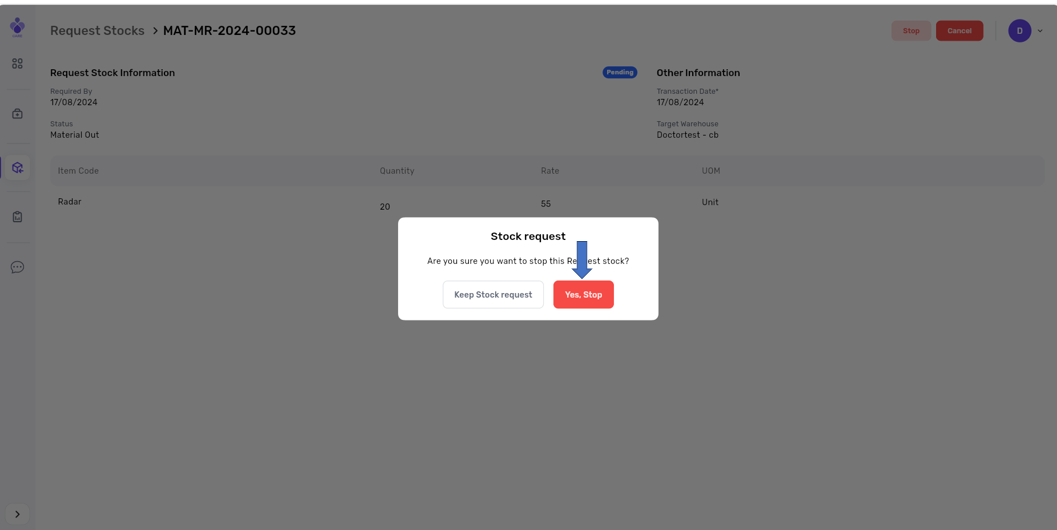
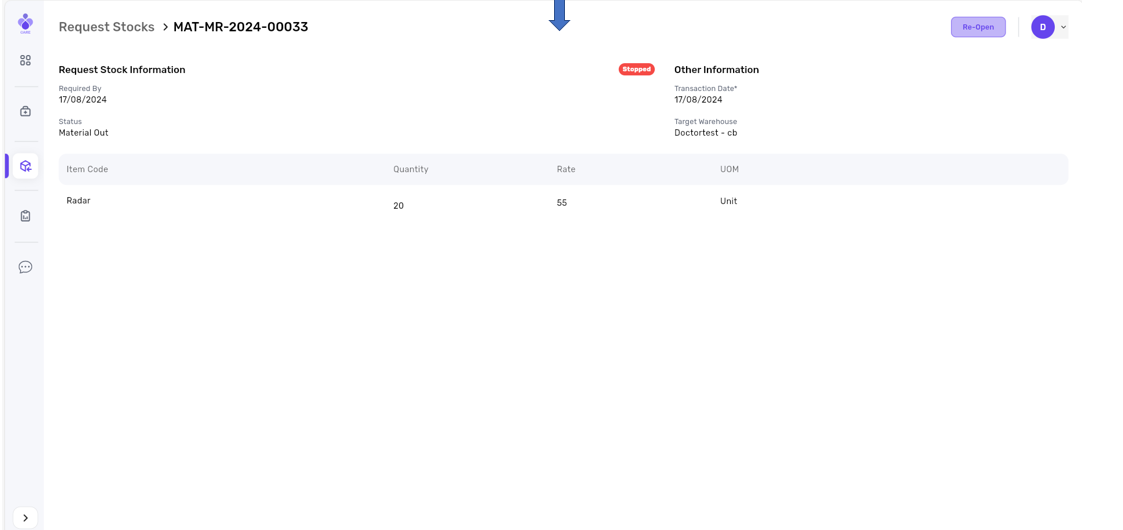
We can cancel the request through:
1- Press cancel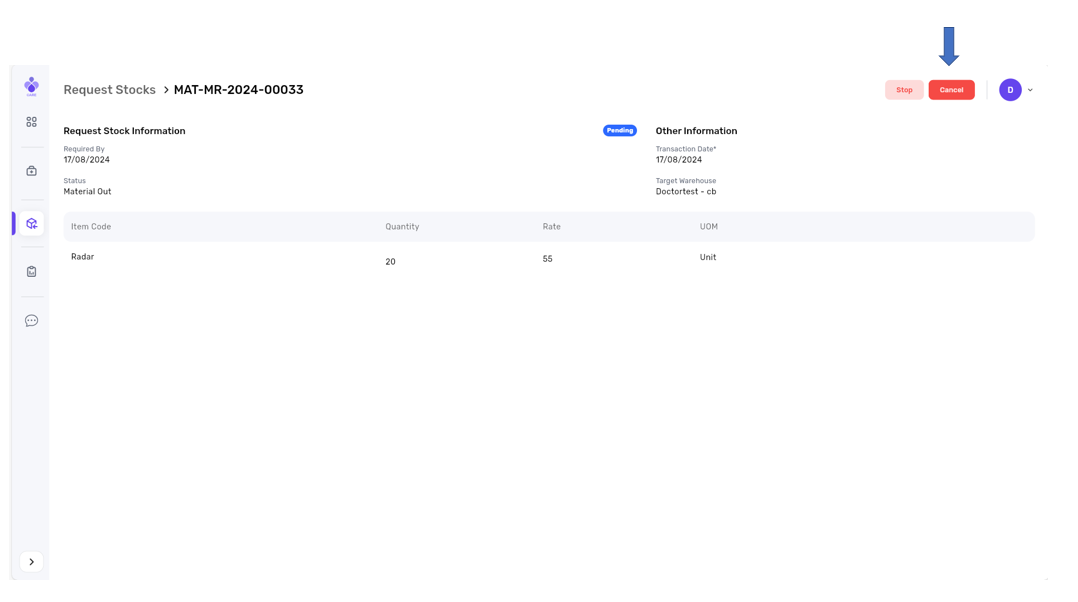
2- Press yes, cancel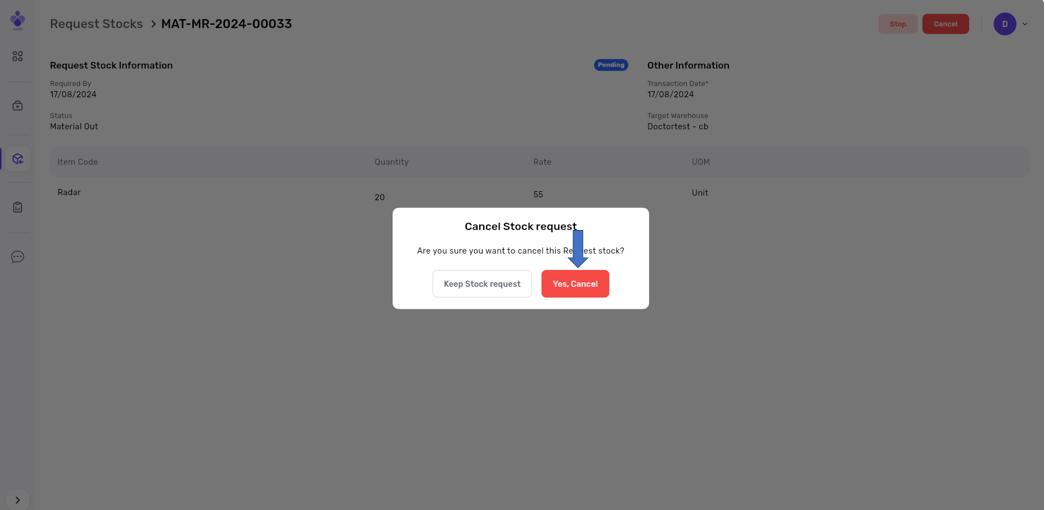
5- Draft: Stock Requests can be modified.
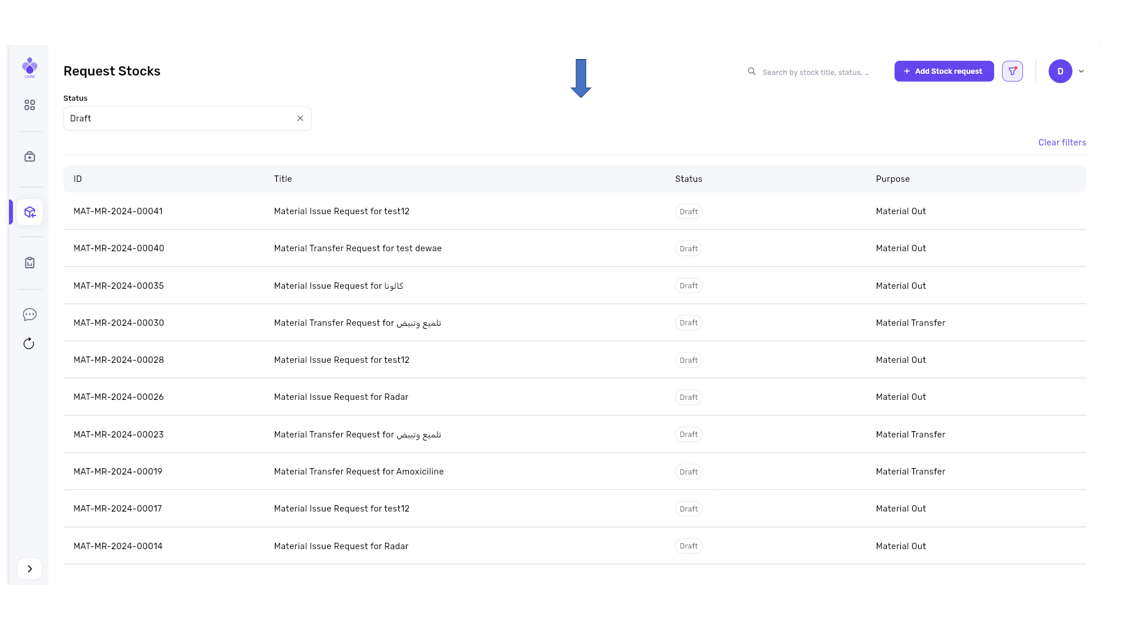
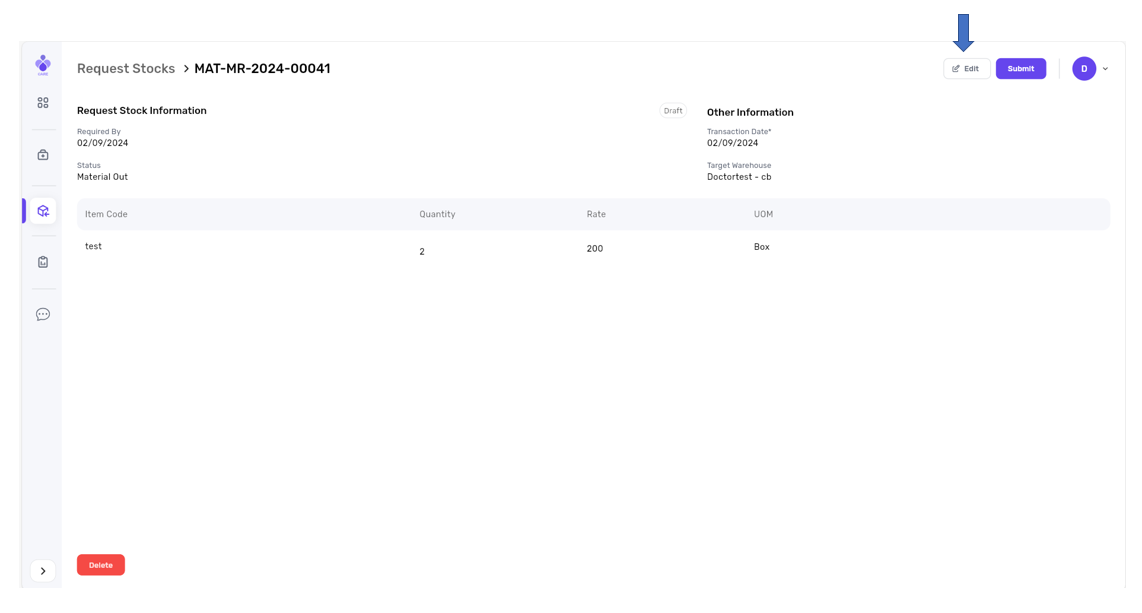
1- Press Edit
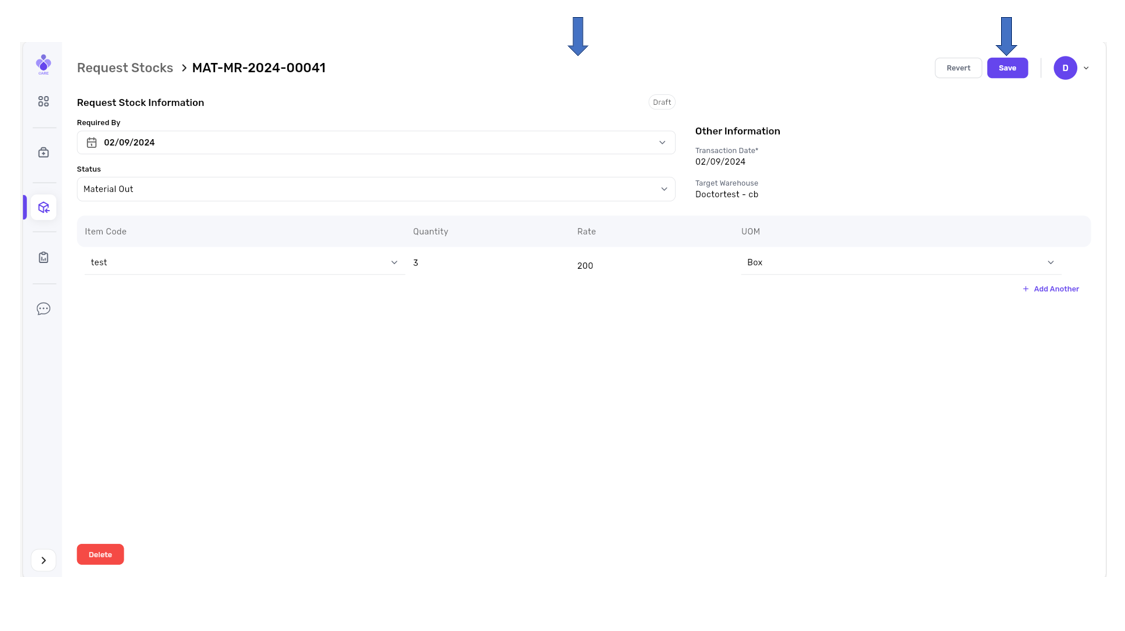
2- Edit anything then press save
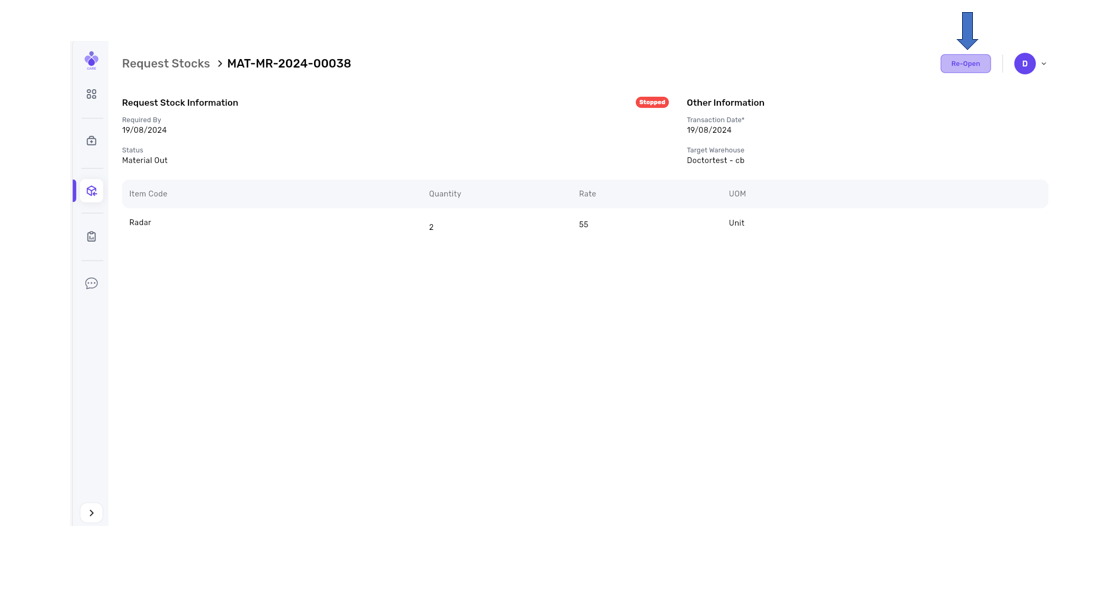
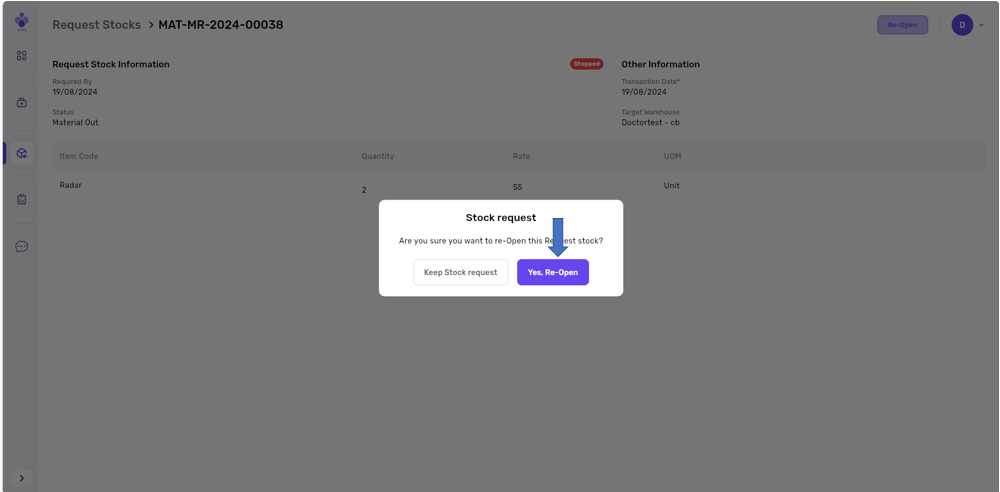
6- Stopped: Stock Requests can be reactivated.
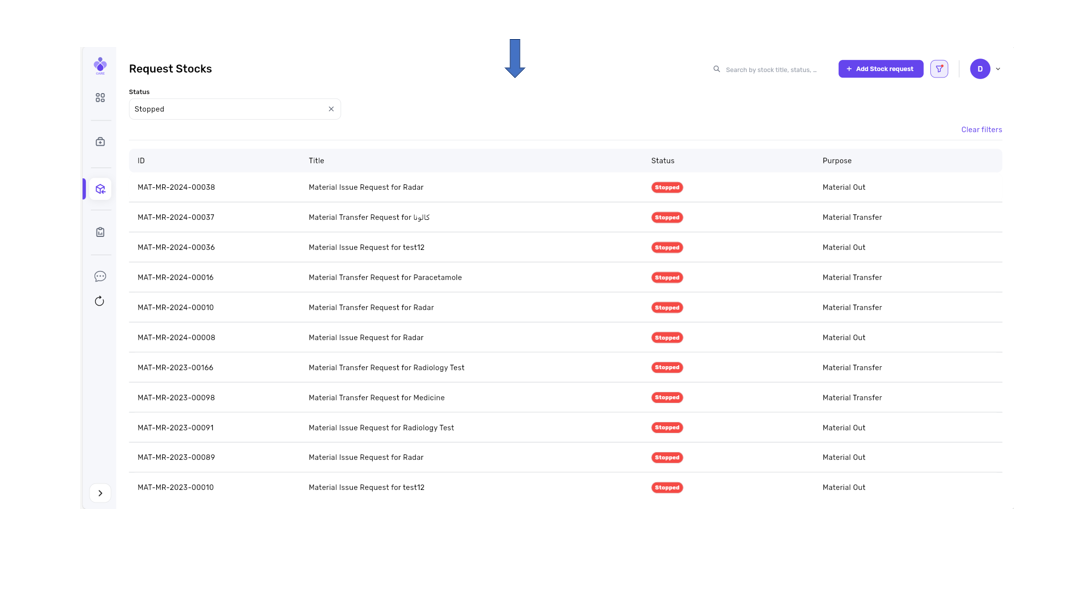
1- press Re-open
2- Press Yes, Re-open
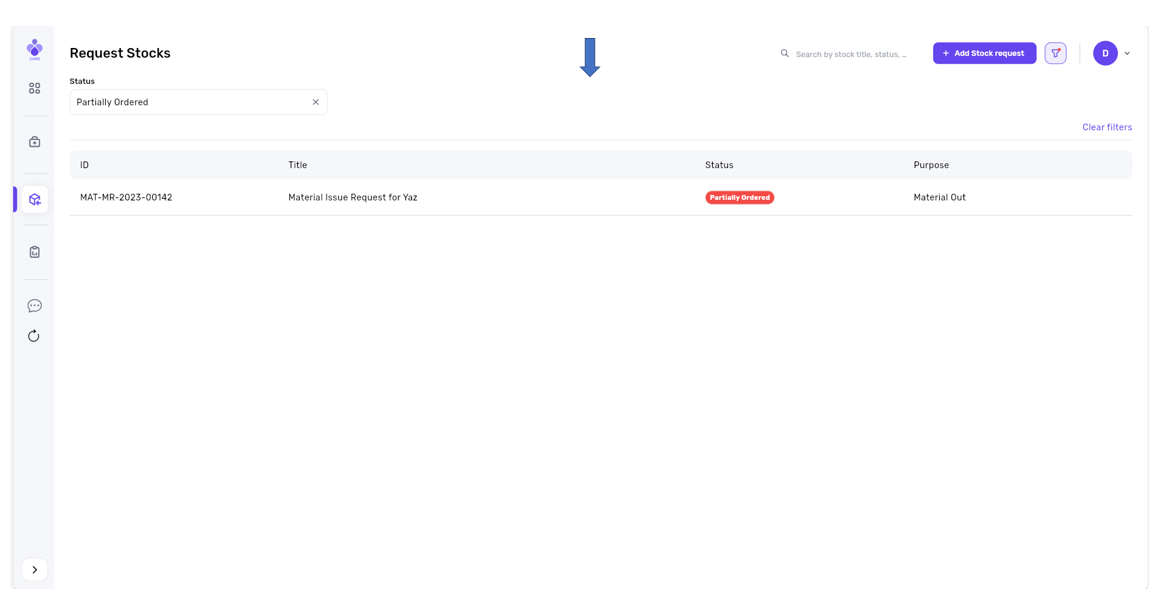
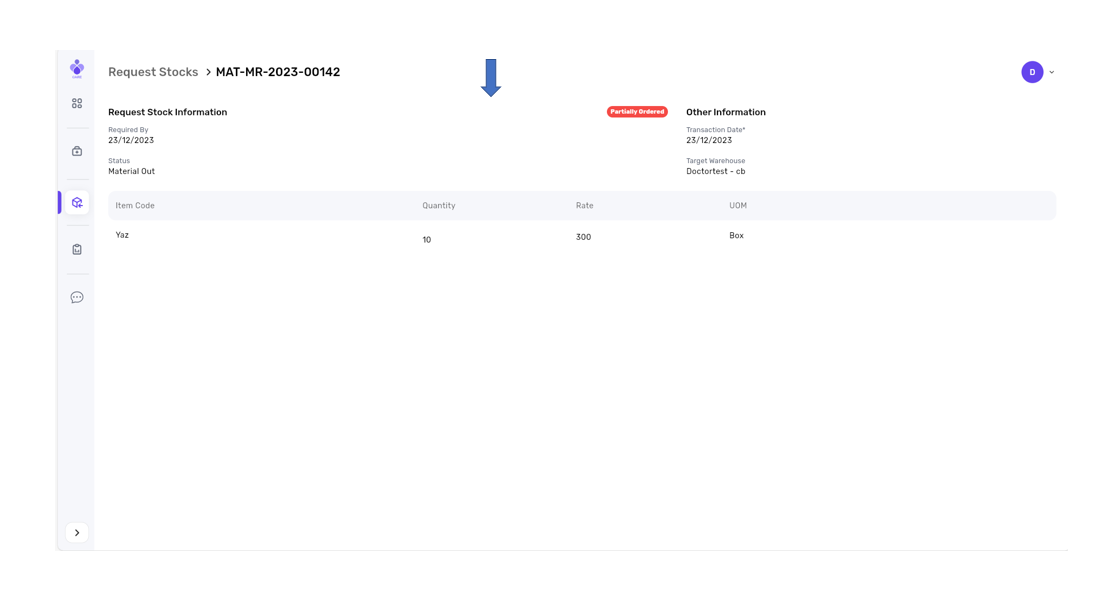
7- Partially ordered: Stock Requests cannot be modified
8- Received
9- Ordered